Where can I see my purchases?
Your purchase history is in Settings → Purchases. It lists everything you've paid for on the account you're signed in to.
Open your purchases
- Open SettingsSelect your profile picture at the top of the app.
- Go to PurchasesSelect the Purchases tab.
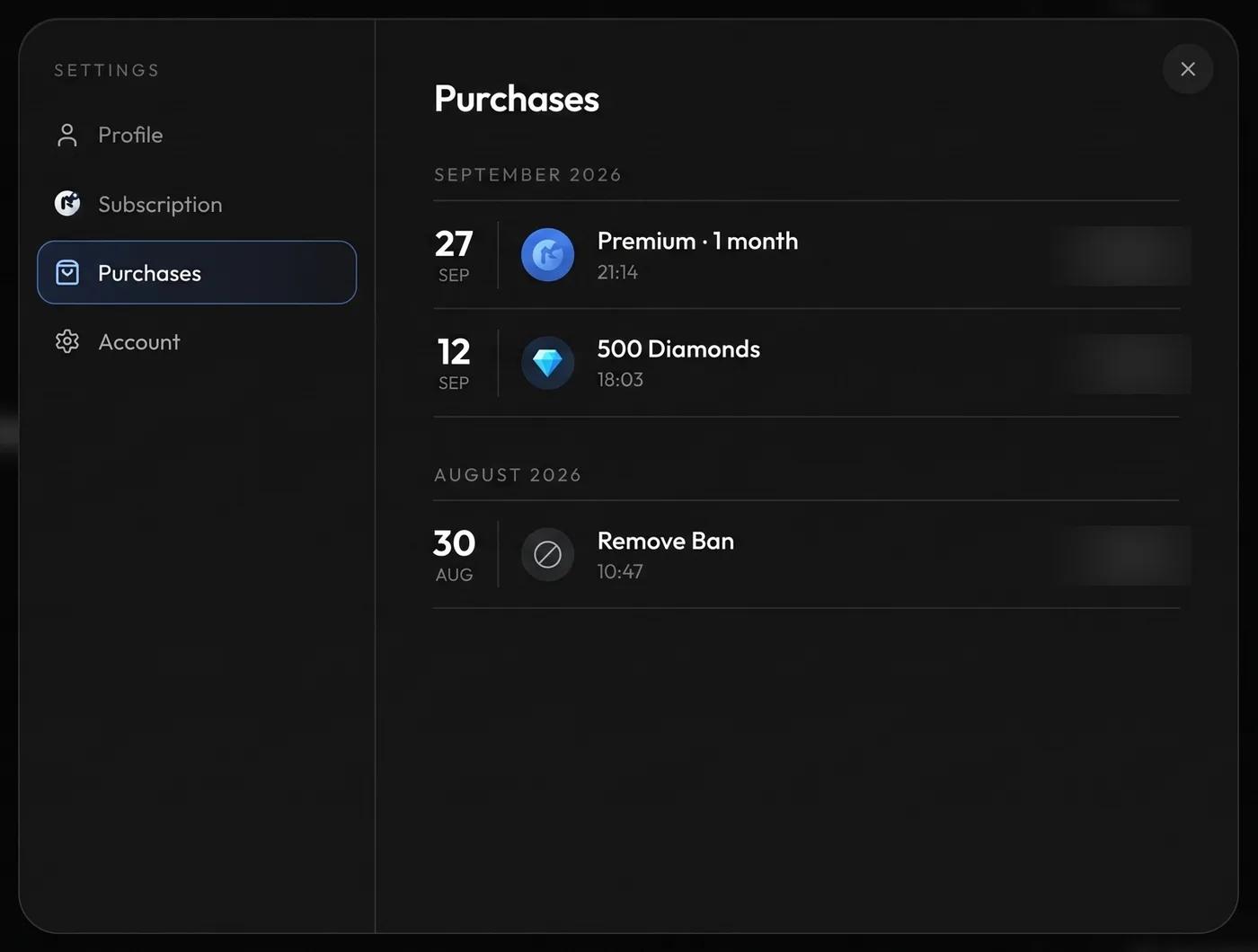
What the list shows
Purchases are grouped by month, newest first. Each row shows:
- what you bought, for example Premium · 1 month, a number of Diamonds, or Remove Ban;
- the date and time of the purchase;
- the amount.
Only paid purchases appear. A payment that failed or was never finished isn't listed. If you haven't bought anything yet, you'll see You don't have any purchases yet.
The amount is the price of the plan or pack. If the payment was charged in another currency, such as Turkish lira, your bank statement can show a different figure.
A purchase is missing
Check that you're signed in with the Google account you paid with: purchases belong to one account. If it's still not there, see I paid, but I didn't get my Premium or diamonds.
Need an invoice?
FTF.live doesn't offer downloadable invoices or receipts. If you need a document about a purchase, email pixovercorp@gmail.com with:
- the payment ID from the payment result screen, if you saved it (the Purchases list doesn't show it);
- the date, time and amount shown in Purchases;
- your username or the email of your Google account.
See also How to contact us.