How the gender filter works
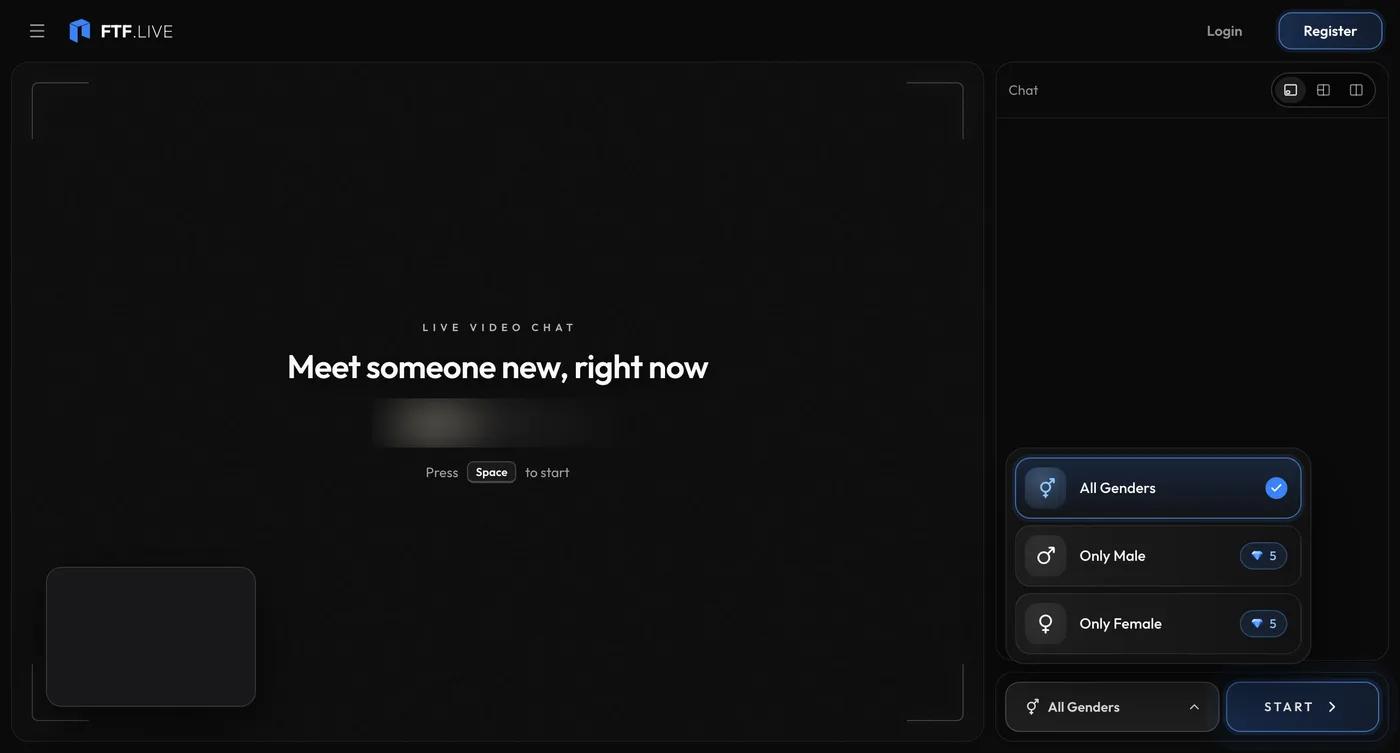
The gender filter decides who you're matched with: All Genders, Only Male or Only Female. All Genders is free. Only Male and Only Female are Premium options, and each match with them costs 5 diamonds.
Choose who you meet
- Open the filterPress the filter button next to START. It shows your current choice, for example All Genders. On a phone, the options open in a panel at the bottom of the screen.
- Pick an optionChoose All Genders, Only Male or Only Female. The paid options show their price: 5 diamonds.
What Only Male and Only Female need
- Active Premium. You buy Premium after logging in with Google.
- At least 5 diamonds.
Without Premium, picking one of them opens the Login window if you're a guest, or the Premium window if you're logged in. See What is Premium?
How diamonds are charged
- A filtered match costs 5 diamonds, taken when the match is made. You aren't charged by the minute, so a long chat costs the same as a short one.
- Every new match costs 5 diamonds, including each one after Next.
- All Genders never uses diamonds.
When you run out of diamonds
If you have fewer than 5 diamonds when a search starts, you'll see "You don't have enough credits to continue." and the diamond window, Stand out with diamonds, opens. Buy more there, or switch to All Genders to keep chatting for free. More in What are diamonds, and how do I get more?
When Premium ends
When your Premium ends, the filter goes back to All Genders.
Was this helpful?