How to report someone
If someone breaks the rules during a chat, report them. Reporting ends the match right away, and you go back to searching for someone new.
Report during a chat
1. Tap the flag button
While you're in a match, tap the round button with a flag icon (Report). It sits at the top of the other person's video, just to the right of the pill with their name.

2. Choose a reason
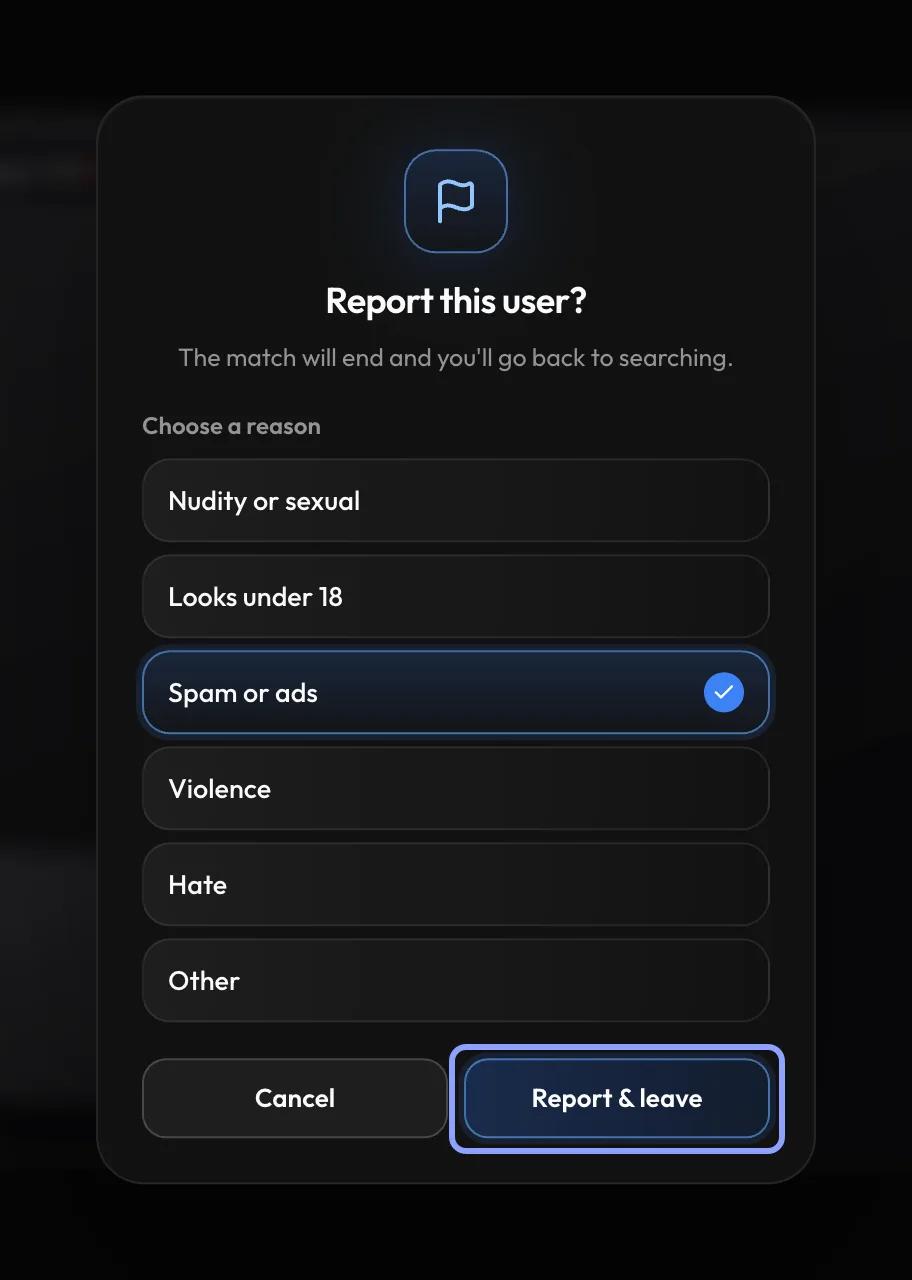
Report this user? opens, with "The match will end and you'll go back to searching." Under Choose a reason, pick the one that fits best. The reasons you may see are:
- Nudity or sexual
- Looks under 18
- Spam or ads
- Violence
- Hate
- Other
3. Press Report & leave
Press Report & leave. It only becomes available once you've picked a reason. If you change your mind, Cancel closes the window and the chat goes on.
If you see "Couldn't send your report. Please try again.", the report didn't go through. Try again.
What happens after you report
- The match ends for both of you, and FTF.live starts looking for someone new for you.
- The other person isn't told that you reported them. For them, the match simply ends.
- Reports go to our automated safety rules, and our team can review them.
- We don't tell you the outcome of a report.
Leaving without reporting
If someone just isn't for you, press Next to move on to the next person, or Stop (the square button on a phone) to stop chatting. If someone asks you for money or personal details, see Someone asked me for money or personal information.