Embed FTF.live on your site (iframe)
You can put FTF.live inside your own website with an iframe, so visitors can video chat without leaving your page. The embed code already contains your tracker link.
Get the embed code
Every tracker has its own embed code. You can copy it in two places:
- on the tracker's page in your panel, in the Embed on your site box, with Copy code;
- with Copy embed code, right after you create a tracker.
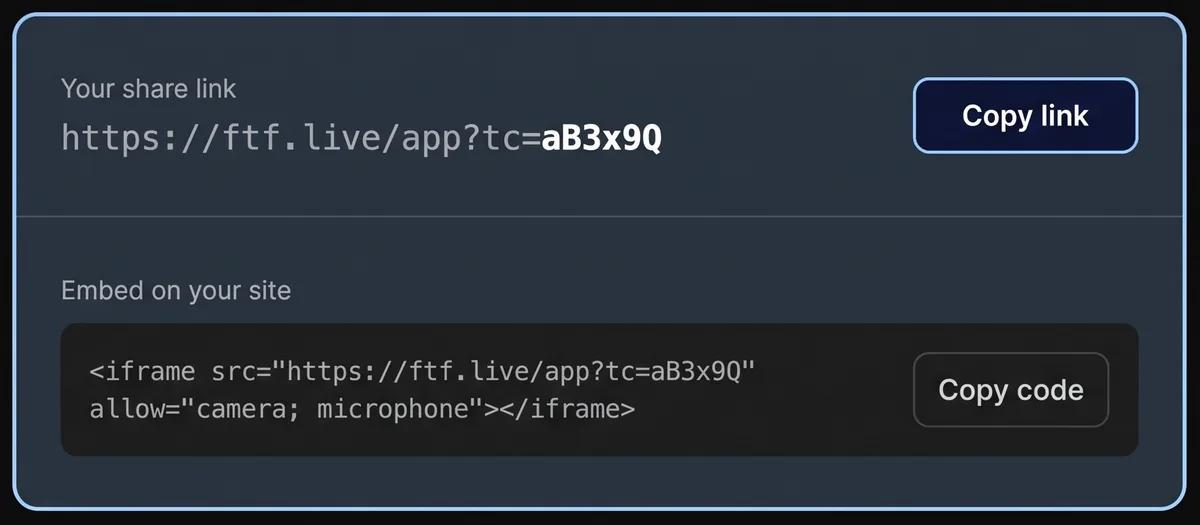
The code looks like this, with your own tracker link in src:
<iframe src="YOUR-TRACKER-LINK" allow="camera; microphone"></iframe>
Set the size
Add a width and a height that fit your page to the code you copied, for example:
<iframe
  src="YOUR-TRACKER-LINK"
  allow="camera; microphone"
  width="100%"
  height="700"
></iframe>
allow="camera; microphone" in the code. Without it, the browser won't let FTF.live use your visitors' camera and microphone inside the frame.Use HTTPS
Your page must be served over HTTPS. On a page loaded over plain HTTP, browsers block the camera inside the frame.
Rules for embedding
Section 11.5 of the User Agreement allows embedding as long as your site:
- doesn't break the law;
- contains no pornography;
- doesn't remove or hide any part of FTF.live.
We may ask you to remove an embed, without having to give a reason.
If visitors have trouble
Some browsers limit what a page inside a frame can do, such as signing in. If your visitors run into problems with the embed, link to your tracker link instead. See Create a tracker link.