How to request a payout
You can request a payout once your Balance reaches $200. Payouts are sent in USDT on the TRON (TRC20) network. Bank transfer isn't available.
Add a payout method
- Open PayoutsIn your webmaster panel, go to Payouts.
- Add a methodUnder Payout methods, press Add method, or the Add a USDT (TRC20) address tile.
- Fill it inEnter a Name, which is how the method appears in your list, and your USDT address (TRC20). Then press Add.
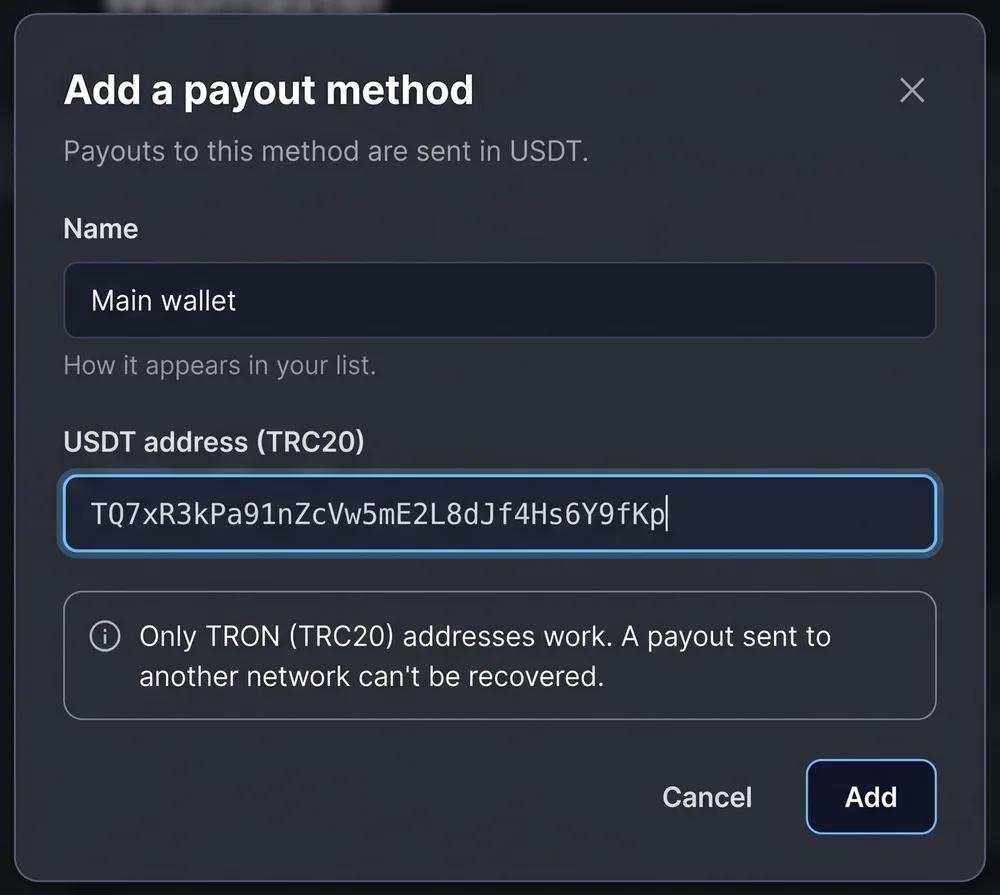
Warning: Only TRON (TRC20) addresses work. A payout sent to another network can't be recovered, so check the address and the network before you add it.
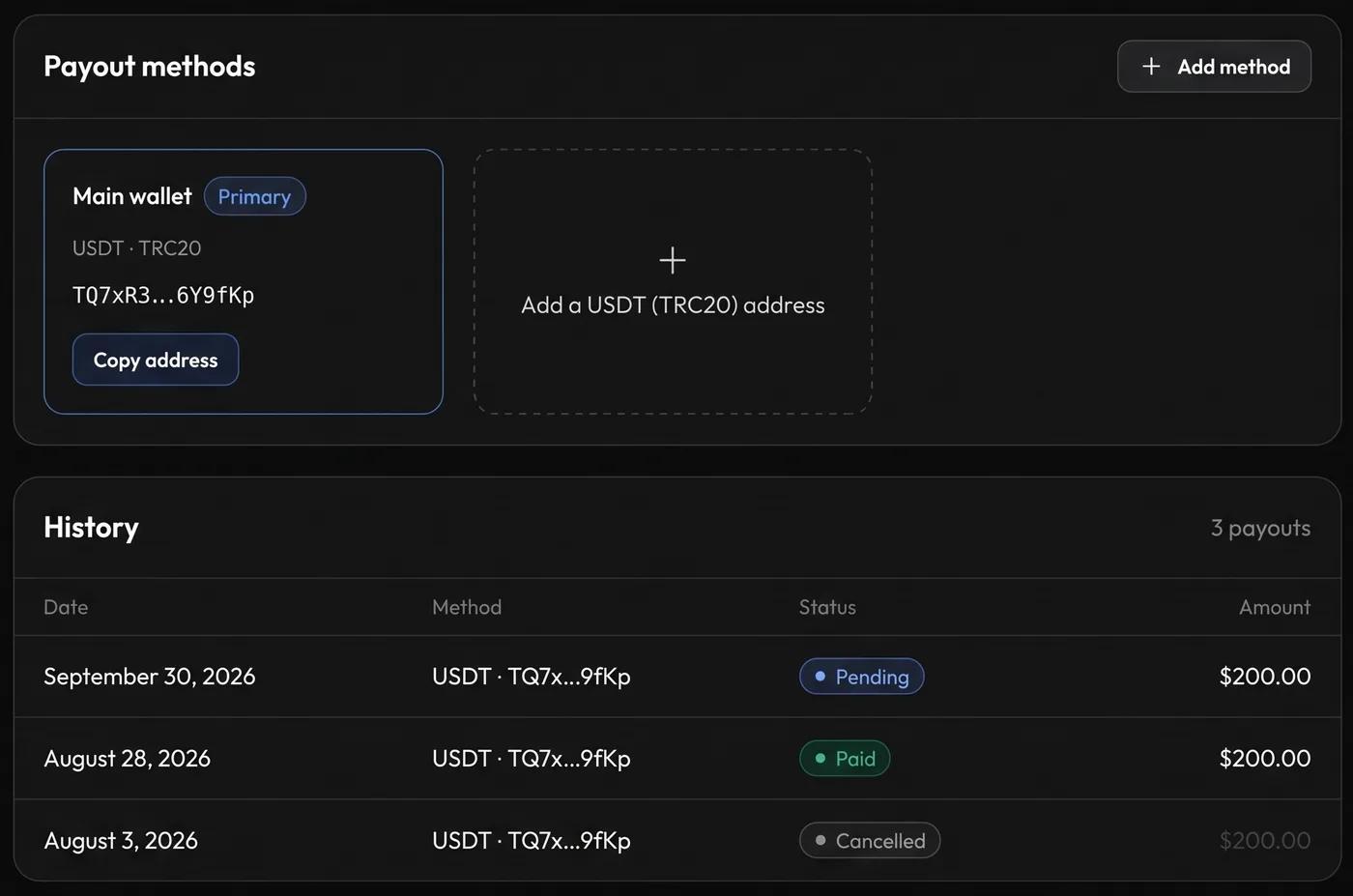
Your first method becomes your Primary one. To make another method the default, press Make primary on it. You can't change a method's address or remove a method in the panel: if you need to, contact us.
Request the payout
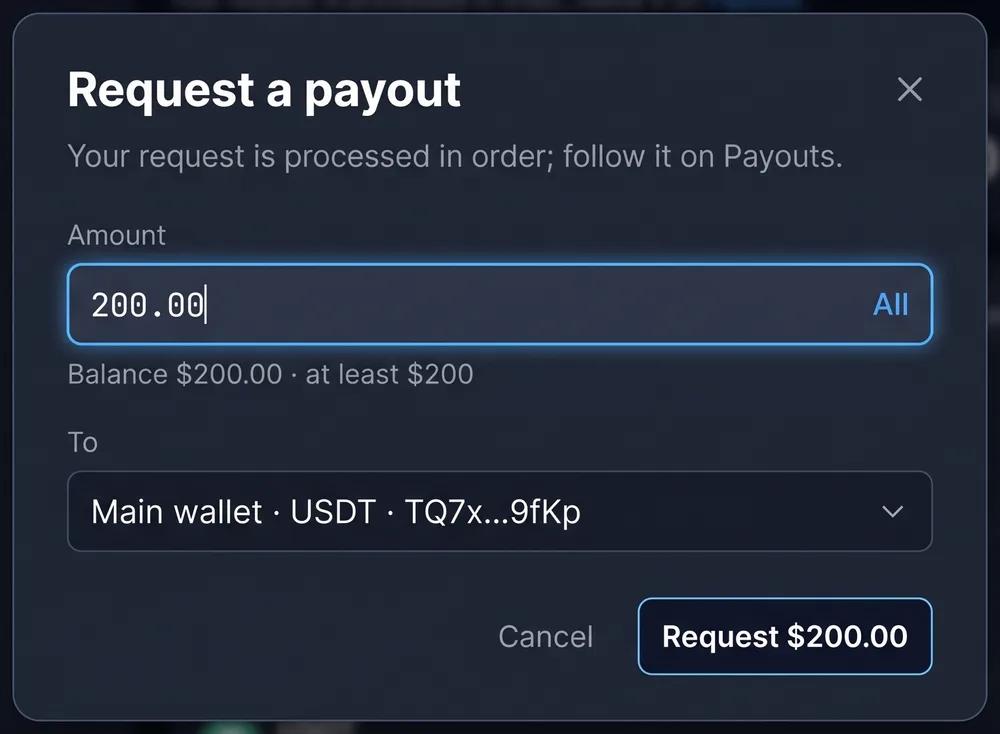
- Open the requestOn Overview or Payouts, press Request payout on your balance card. The button works once your balance reaches $200.
- Check the amountThe Amount starts at your whole balance. You can lower it: it must be at least $200, no more than your balance, and have at most two decimals. All puts your whole balance back.
- Choose the methodUnder To, pick the payout method the money goes to.
- Send itPress Request $X, where $X is the amount you entered.
If you haven't added a payout method yet, Request payout asks you to add one first.
Follow your request
You can have one open request at a time. Its status moves from Pending to In progress to Paid. Requests are processed in order, and we can't promise a date.
- While it's Pending, you can cancel it with Cancel request. It then shows as Cancelled, and you can request again whenever you like.
- Your balance goes down when the payout is marked Paid.
Every request appears under History on the Payouts page.
Was this helpful?